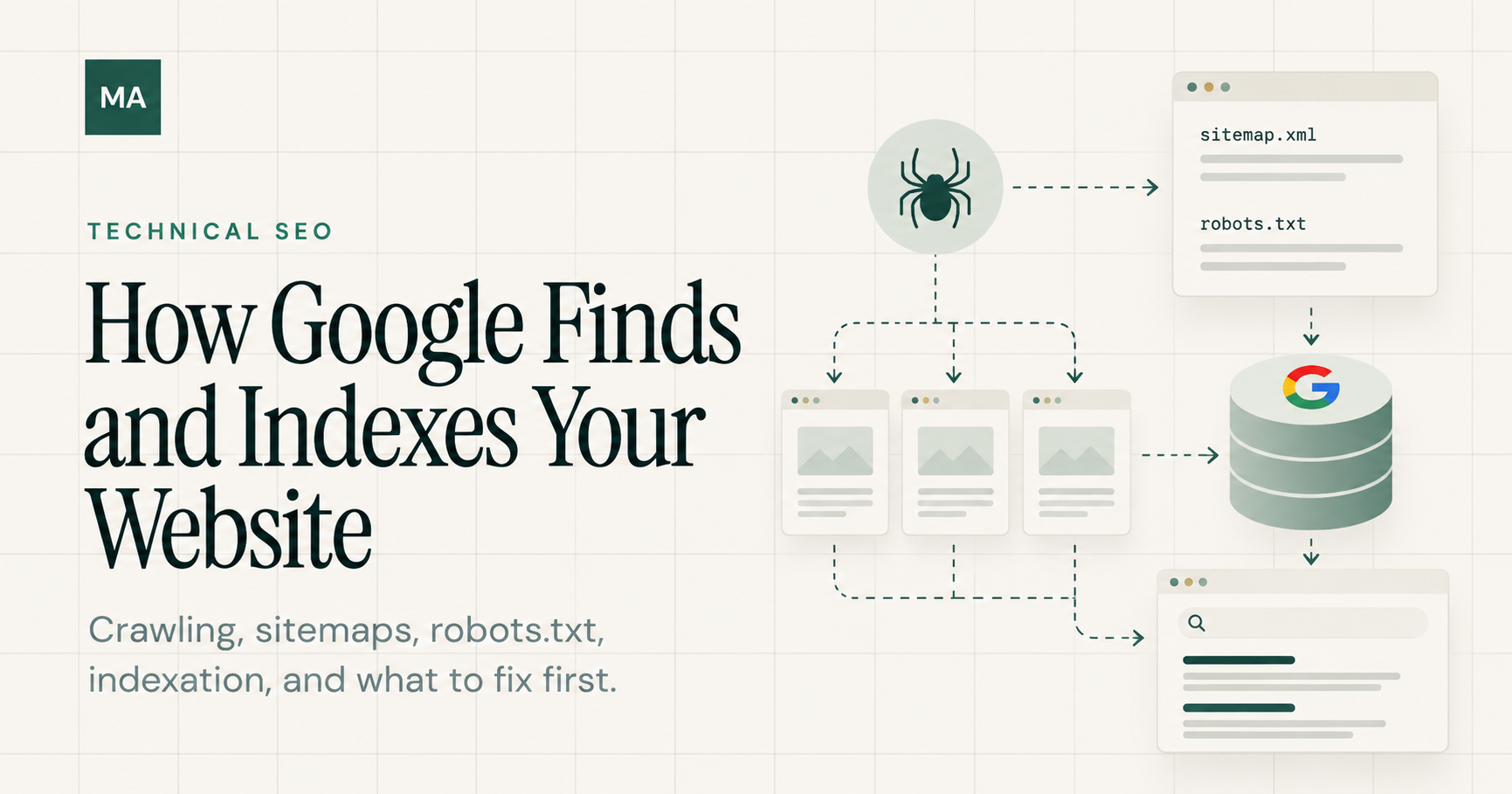
Before a page can rank in Google, Google first needs to discover it, crawl it, understand it, and decide whether to include it in the index. These stages sound simple, but many SEO problems happen before ranking is even part of the conversation. A page can have useful content and still receive no organic visibility if search engines cannot reliably find or index it. Understanding this process makes Technical SEO much easier to diagnose. Instead of asking only, “Why isn’t this page ranking?”, we can first ask whether Google can actually find, crawl, and index the page correctly.
How Google Discovers URLs
Google cannot crawl a page it does not know exists. Discovery is the stage where Google finds URLs that may be worth crawling. One of the main ways this happens is through links. When Google crawls a page, it can follow links on that page to discover other URLs. This is why internal linking matters beyond navigation: it creates paths that search engines can use to move through a website. XML sitemaps provide another discovery signal. A sitemap gives search engines a structured list of URLs that the site wants them to know about. Submitting a sitemap does not guarantee indexing, but it can make important URLs easier to discover and monitor. Google may also discover URLs through external links and other previously known URLs. The important question is whether valuable pages have clear, crawlable paths instead of being isolated from the rest of the site.
How Google Crawls Your Website
After discovering a URL, Google may request the page using Googlebot. This process is called crawling. Whether Googlebot can crawl a page depends on several technical factors. The server needs to respond correctly, the URL needs to be accessible, and the site should not unintentionally prevent crawling through robots.txt or other technical controls. HTTP status codes are especially important. A 200 response normally indicates that the requested page is available, while redirects, 404 errors, and server errors tell crawlers something different about the URL. Crawling also does not mean indexing. Google can successfully crawl a page and still decide not to include it in its index. Keeping these two stages separate is important when diagnosing Technical SEO problems.
How Google Indexes a Page
After crawling a page, Google processes what it found and evaluates whether the page should be included in its index. During this stage, Google analyzes signals such as the page content, canonical information, duplicate or similar pages, and whether indexing is allowed. A page can be crawlable but still excluded from the index. For example, a noindex directive can tell search engines not to index a page. A canonical tag can indicate that another URL is the preferred version of similar content. Google may also decide that a page does not provide enough unique value to be indexed. This is why an indexing problem should not automatically be treated as a crawling problem. The first step is to identify where the process is breaking: discovery, crawling, or indexing.
How to Check Whether Google Can Find and Index a Page
When a page is not appearing in Google, I prefer to diagnose the process in order instead of immediately changing the content. Start by checking whether the URL is discoverable through internal links and included in the appropriate XML sitemap. Then confirm that the page returns the expected HTTP status code and is not blocked from crawling. Next, review the page's robots directives and canonical tag. A page intended to appear in search should not accidentally contain a noindex directive or point its canonical to an unrelated URL. Google Search Console's URL Inspection tool can then provide useful information about how Google sees the URL, including whether it has been discovered, crawled, and indexed. The goal is to identify the exact stage where the problem occurs. Once that is clear, the fix becomes much more focused.
A Practical Technical SEO Checklist
Confirm the page is linked internally from relevant pages.
Check that the URL appears in the correct XML sitemap.
Verify that the page returns the expected 200 HTTP status code.
Check robots.txt for unintended crawling restrictions.
Confirm that the page does not contain an unintended noindex directive.
Review the canonical tag and make sure it points to the intended URL.
Use Google Search Console URL Inspection to check discovery, crawling, and indexing status.
Check whether duplicate or near-duplicate URLs are competing with the page.
Make sure important content and links are accessible to search engines.
Ranking Starts Before Rankings
SEO does not begin with rankings. It begins with making sure search engines can reliably discover, crawl, understand, and index the right pages. When organic visibility is weak, separating these stages helps avoid guessing. A discovery problem needs a different solution from a crawling problem, and a crawling problem needs a different solution from an indexing problem. That is one of the core principles of Technical SEO: diagnose the system first, then decide what is actually worth fixing.